
DATABASE RECOVERY / TRECOVERY
SQL Server MDF/LDF Recovery: What to Prepare for Database Failures or Ransomware
Which files, errors and business checks matter when SQL Server fails? Prepare sources, backups and acceptance criteria before a recovery assessment.
#TEKLink208 | Link.TUNGTEK.com/208
Read the guide →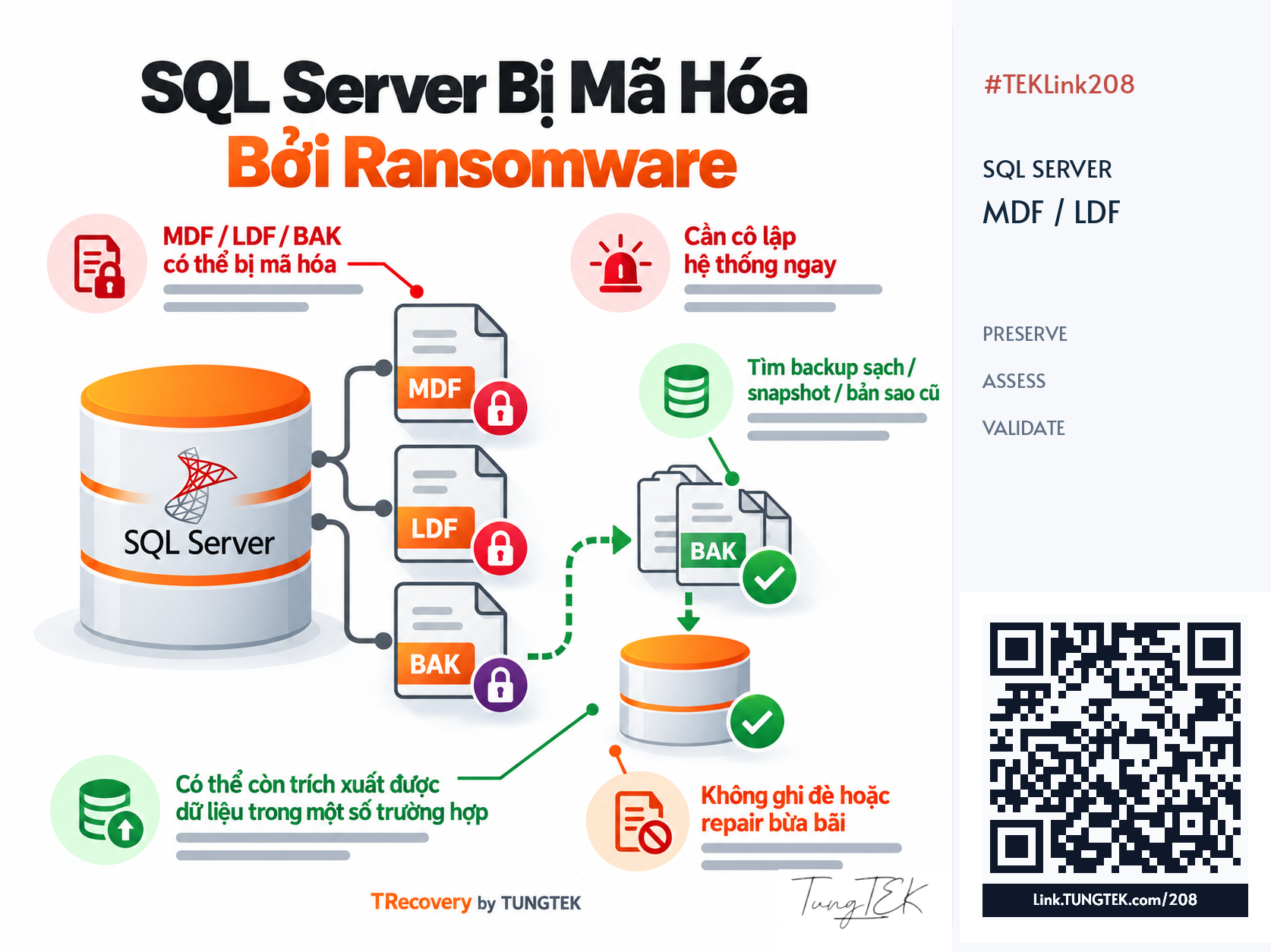
Article contents
SQL Server incidents can interrupt accounting, ERP, inventory or internal applications. Preparing the right sources and context helps select an evidence-based path. This guide explains what system owners and DBAs should preserve, discuss and validate before putting recovered data back into use.
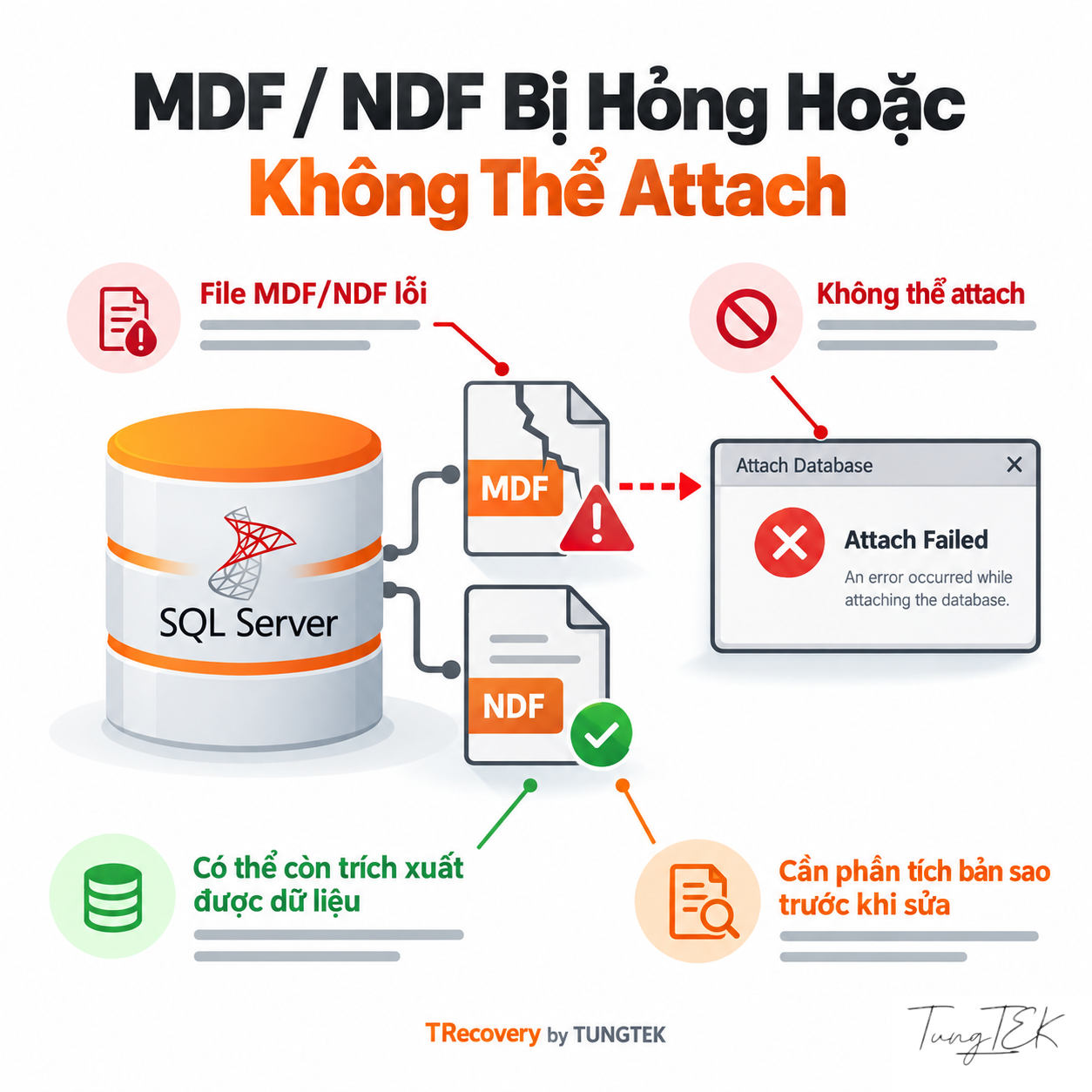
Preserve the Source Before Attachment or Repair Attempts
#When accounting software becomes inaccessible or an ERP stops recording transactions, the immediate pressure is to reopen the database. Repeated attachment/detachment, file replacement or direct repair can change the source needed for assessment. The first goal is to preserve the recovery options that can still be examined.
- Coordinate with the DBA to control further writes and record the discovery time.
- For suspected active ransomware, isolate the attack path under the response plan; weigh existing evidence before deciding on shutdown.
- Retain original files, backups and logs; acquire working copies using a method suited to the storage condition.
Record attempted actions and errors too. For deteriorating hardware, assess acquisition before adding read load. Copying a file while SQL Server writes to it does not establish a consistent database copy.
References: Microsoft Learn — Database Detach and Attach · Microsoft Learn — Troubleshoot Database Consistency Errors
Record the Database State to Choose the Next Check
#Describe more than “a damaged MDF.” Record the state and complete message so the assessment team can distinguish blocked, progressing and failed recovery.
| Symptom | Question to Resolve |
|---|---|
| RECOVERY PENDING | Where are resources or file access preventing recovery? |
| SUSPECT | Why did startup recovery fail? The primary filegroup may be damaged. |
| RECOVERING | Is recovery progressing, or are new errors appearing? |
Swipe horizontally to read the table on small screens.
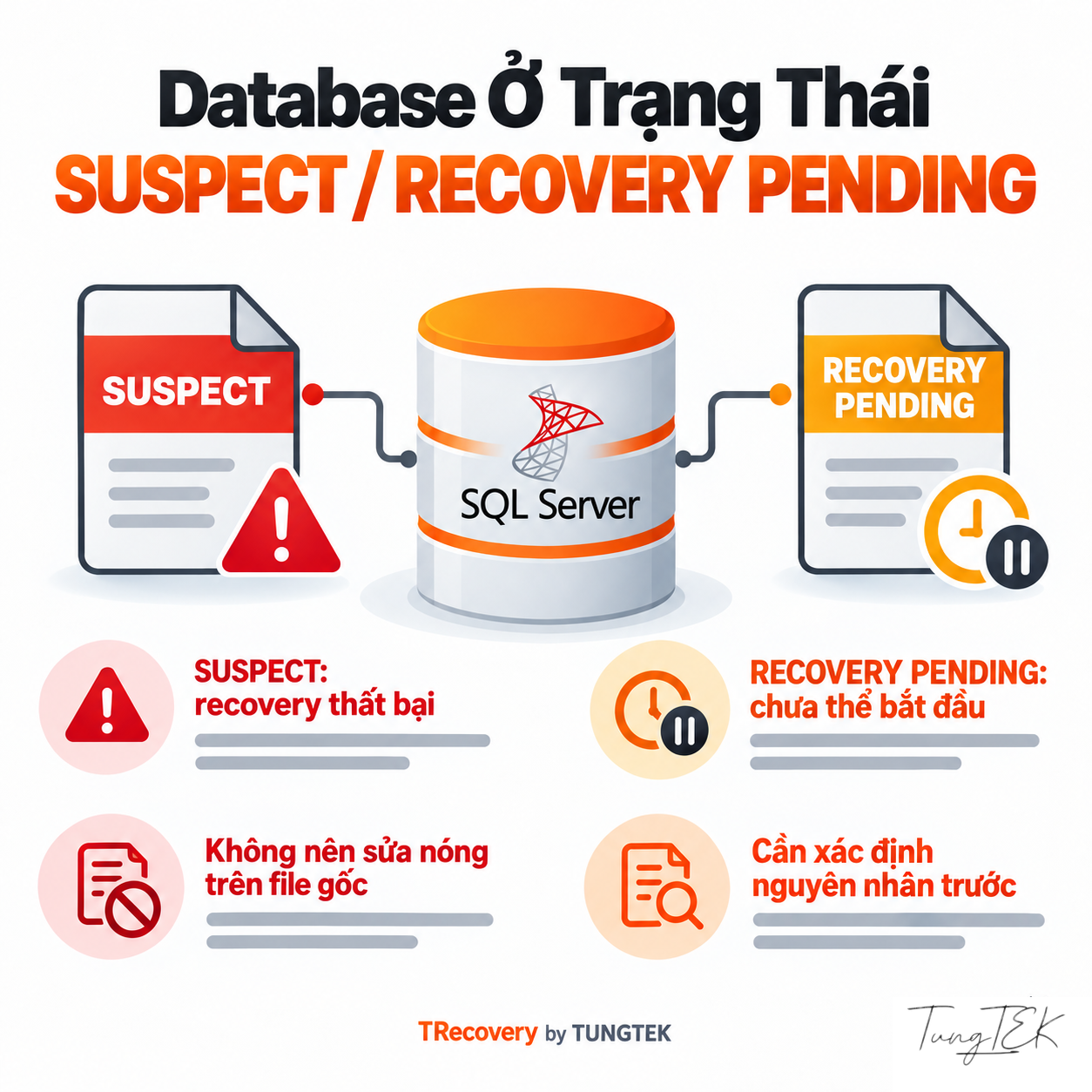
RECOVERY PENDING does not automatically prove corruption. Correlate ERRORLOG with files, paths and resources before choosing an approach. EMERGENCY is a restricted diagnostic mode; entering it does not establish that data is safe.
References: Microsoft Learn — Database States
Retain the Full 823, 824, 825 and Attachment Messages
#| Signal | Evidence to Retain | Initial Decision |
|---|---|---|
| 823 — OS-reported I/O failure | OS code, file name, offset and time. | Review the storage path with infrastructure administrators. |
| 824 — inconsistent I/O check | Affected page/file and failed check, such as checksum. | Assess database structure alongside storage. |
| 825 — read succeeds after retry | Retry count, preceding error and system events. | Investigate I/O even while users can read data. |
Swipe horizontally to read the table on small screens.
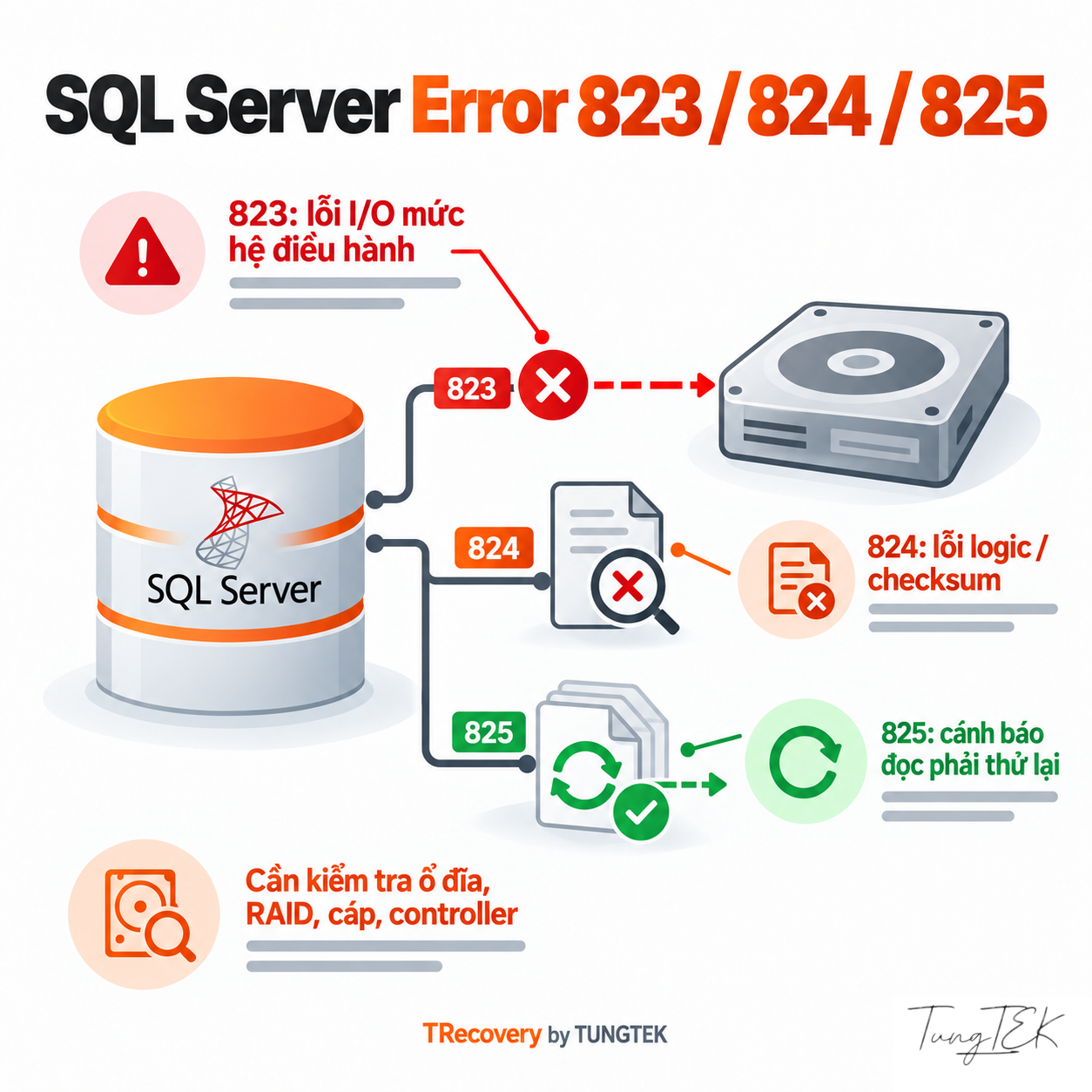
SQL ERRORLOG, Windows Event Logs and msdb.dbo.suspect_pages help reconstruct events; no single log replaces a complete check. For 5171, verify that the selected file is a primary data file. Retain transaction-log processing details for 9004 and the OS message for file-opening errors such as 5120. Do not choose file repair from a code alone.
References: Microsoft Learn — MSSQLSERVER_823 · Microsoft Learn — MSSQLSERVER_824 · Microsoft Learn — MSSQLSERVER_825 · Microsoft Learn — Database Engine Events and Errors 5000–5999 · Microsoft Learn — MSSQLSERVER_9004 · Microsoft Learn — Manage the suspect_pages Table
Prepare the Whole Database Set and Infrastructure Context
#A database can include MDF, multiple NDF files, one or more LDF files and additional containers. MDF/NDF store data; LDF supports transaction recovery and is not a full data copy. Retain names, paths and file relationships to avoid combining different databases or acquisition times.
| Data Layer | Record |
|---|---|
| HDD/SSD, RAID, NAS/SAN | Configuration, drive condition, volumes and I/O events. |
| Virtual machines | VMDK/VHDX files, disk/snapshot chain, datastore and guest file system. |
| SQL Server | Version/build, file set, additional containers and dependent applications. |
Swipe horizontally to read the table on small screens.
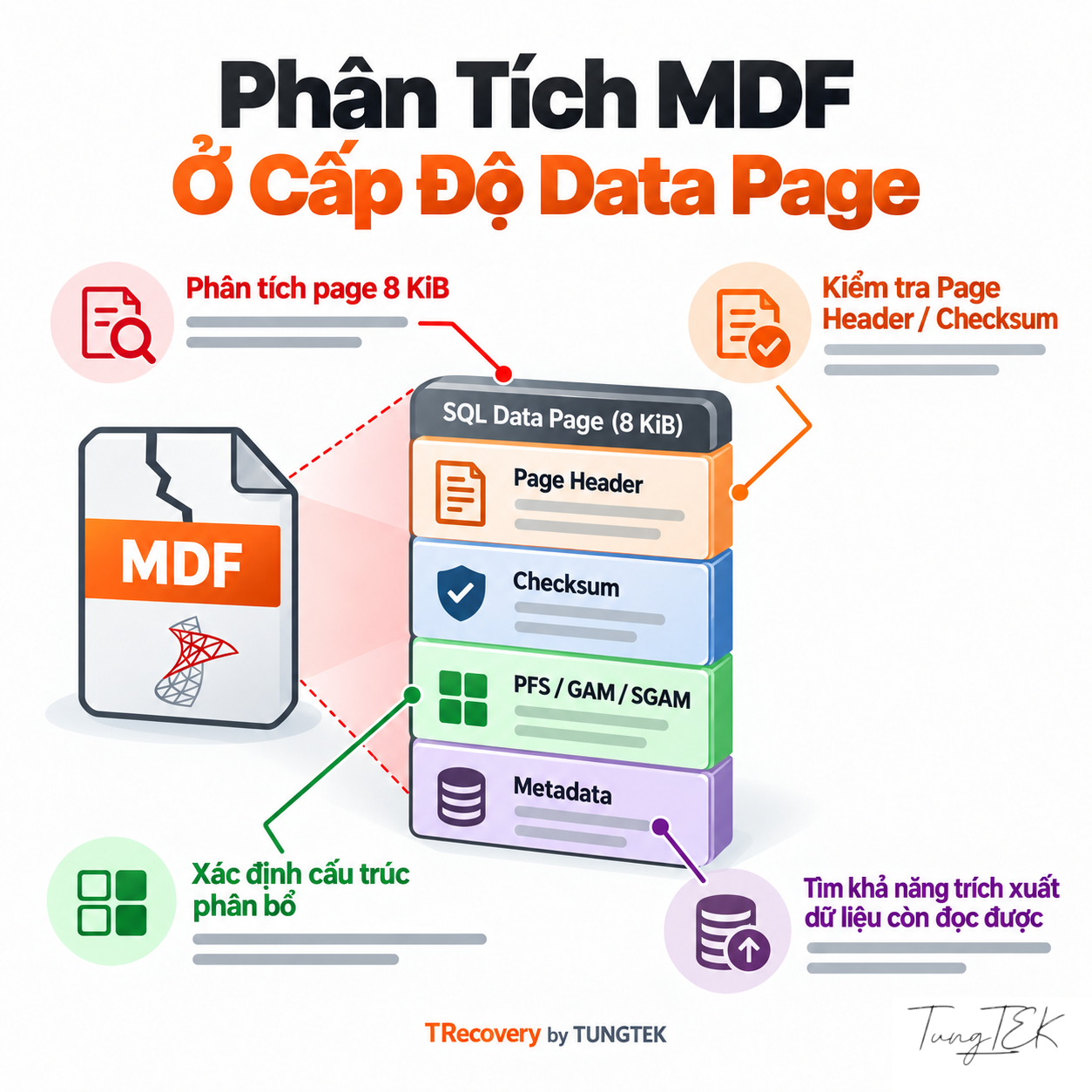
VMFS on a VMware datastore and NTFS inside a guest are separate layers. An MDF copied from an incomplete virtual-disk set or incorrectly reconstructed volume is not thereby proven complete. Traditional SQL Server data pages are 8 KiB with 96-byte headers; metadata, PFS/GAM/SGAM/IAM allocation maps and LOB dependencies also affect record interpretation.
References: Microsoft Learn — Database Files and Filegroups · Microsoft Learn — The Transaction Log · Microsoft Learn — Page and Extent Architecture Guide · Microsoft Learn — Database Detach and Attach
Available Backups or a Missing LDF: Which Sources Need Assessment?
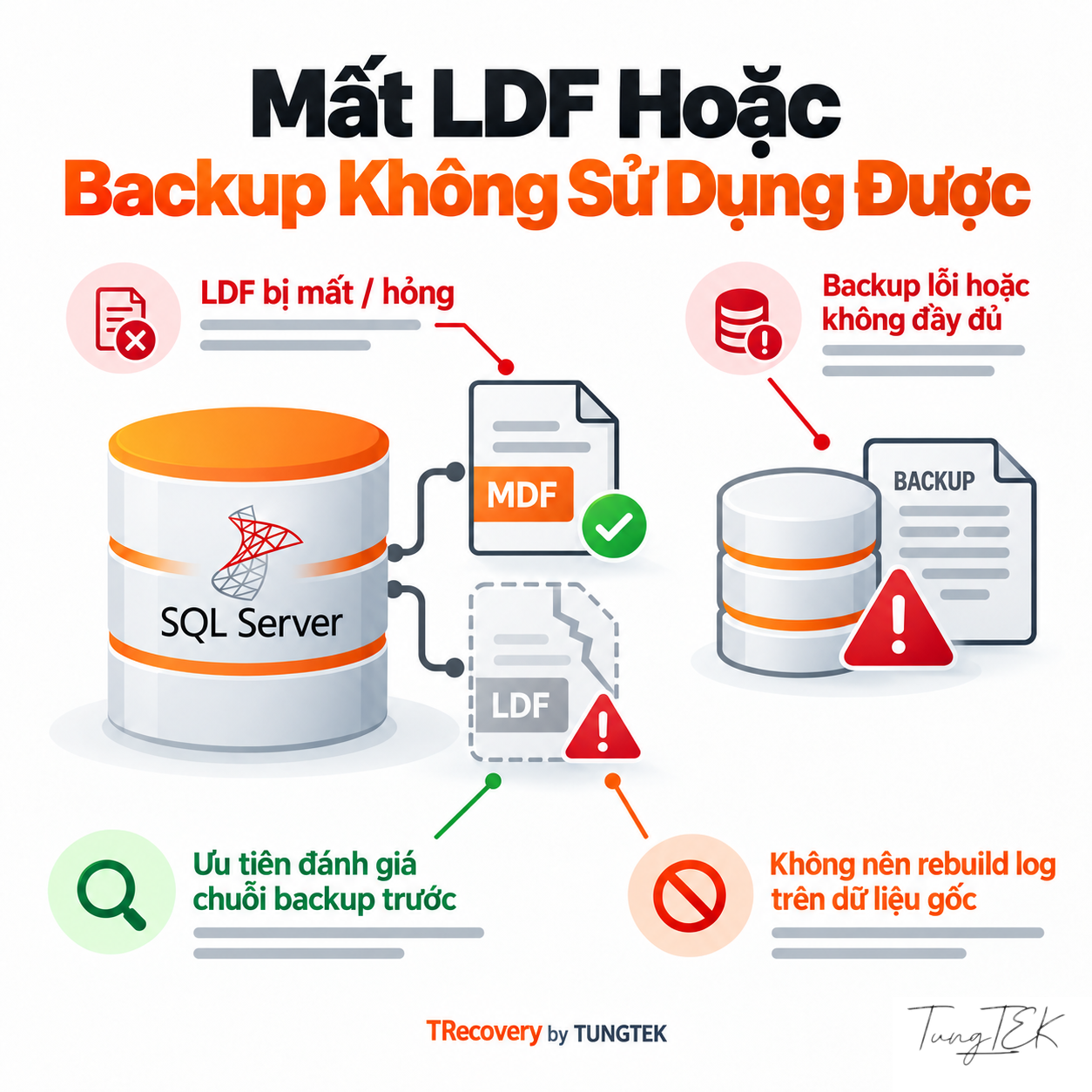
#Before repair attempts, inventory independent copies and full/differential/log backups with their timestamps. An older backup may provide a comparison point or restore path; the latest one may be affected or unusable. Selection depends on the recovery model and the business-required data point.
RESTORE VERIFYONLY assesses backup completeness and readability but does not replace a real restore. After a test restore, establish the recovered data point and usability. Keep other sources until assessment finishes; do not discard an LDF or surviving files merely because a BAK exists.
A missing LDF does not justify a universal “delete the log and attach” recipe. FOR ATTACH_REBUILD_LOG requires a read/write database, clean shutdown and all MDF/NDF files; it breaks the log-backup chain. Do not assume a crash or missing file satisfies those prerequisites.
For snapshots, establish type, source and time. SQL Server database snapshots depend on the original database and cannot replace independent backups. Assess VM snapshots with their disk chain and application condition before treating them as recovery sources.
References: Microsoft Learn — Backup Overview · Microsoft Learn — RESTORE VERIFYONLY · Microsoft Learn — CREATE DATABASE: ATTACH_REBUILD_LOG · Microsoft Learn — Database Snapshots
Suspected Ransomware: Separate Clean Sources, Decryption and Extraction
#Inspect actual content on authorized samples rather than inferring scope from an extension. Retain the ransom note, encrypted files and pre-incident copies. They support assessment but do not substantiate the extortion actor’s claims on their own.
- Clean sources: assess unaffected copies, restorability and the available data point.
- Legitimate key/decryptor: confirm the variant and test copies before broader use.
- Readable regions: assess pages, metadata, secondary files and LOB dependencies to identify interpretable records.
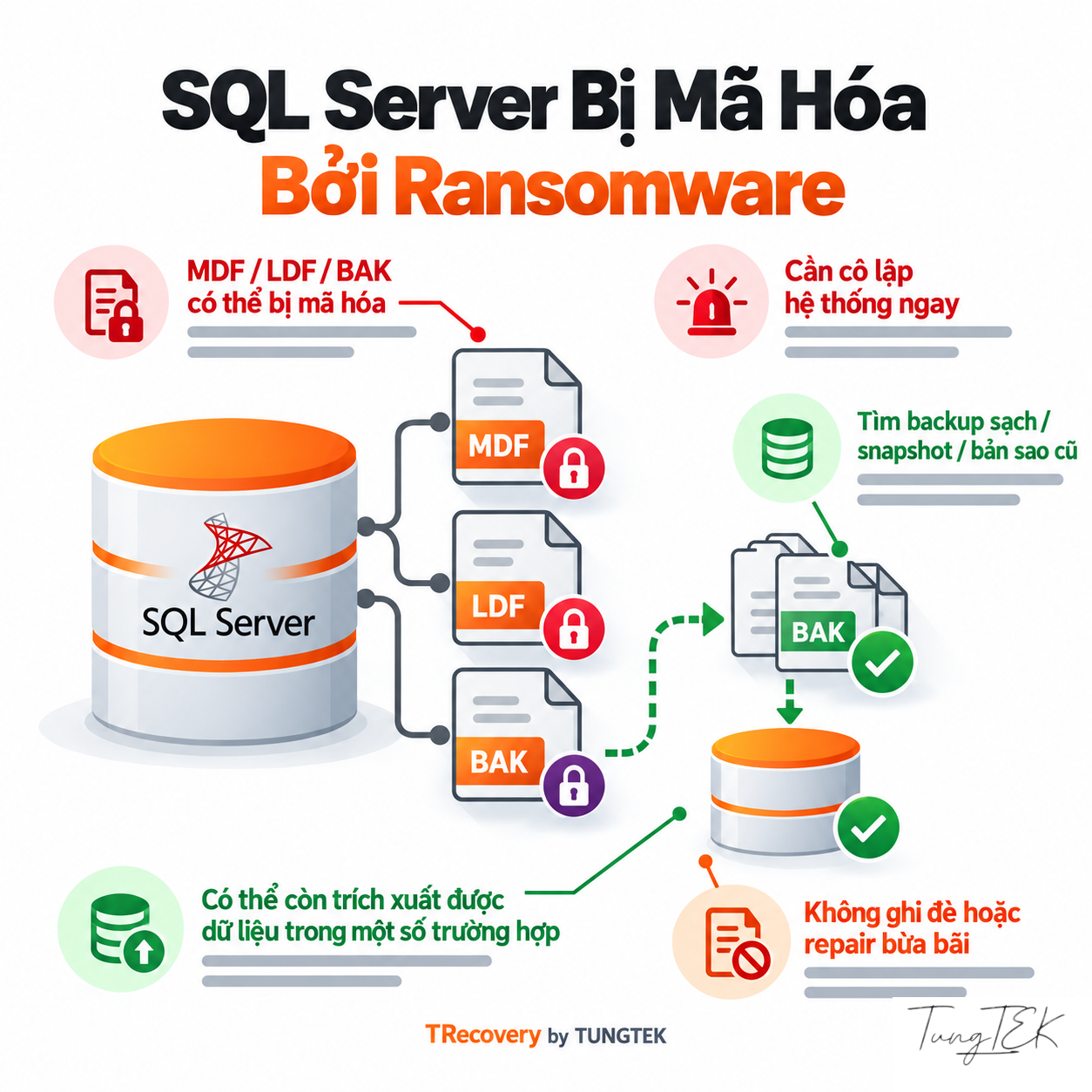
Partial or intermittent encryption may leave unaffected regions; that does not translate into a recovery percentage. Strongly encrypted whole-file contents may provide no plaintext without a suitable key or usable alternative source. Repairing structure cannot substitute for cryptographic decryption.
TDE is legitimate SQL Server encryption. Moving a certificate-protected TDE database requires the correct certificate and private key; EKM needs corresponding key access. Store key material separately and transfer it through the agreed channel. If ransomware adds another layer, assess both TDE and the newly affected regions.
References: Microsoft Learn — Transparent Data Encryption · Microsoft Learn — Move a TDE-Protected Database · Microsoft Learn — Page and Extent Architecture Guide
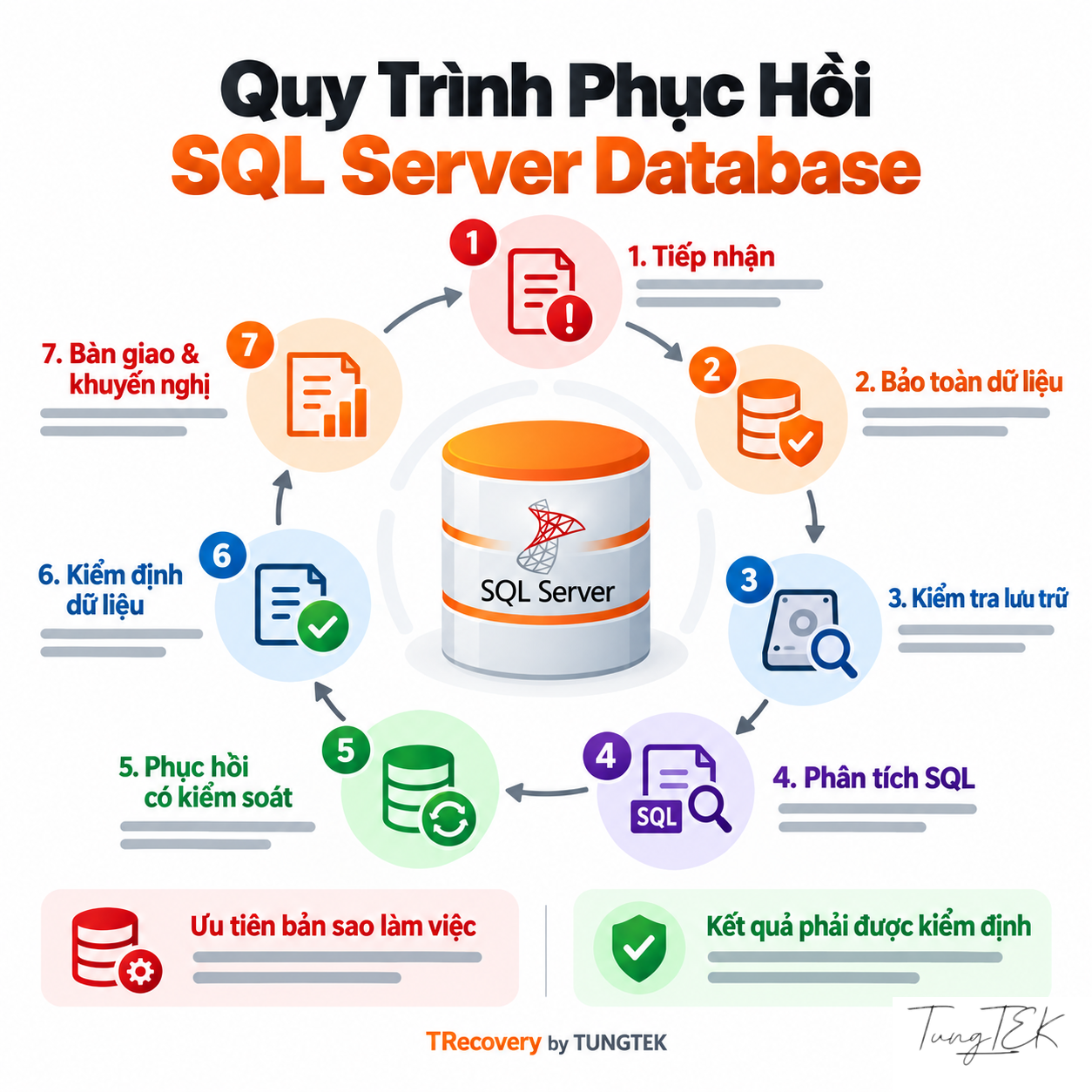
Seven Steps for Agreeing a Recovery Approach
#TRecovery by TUNGTEK 🇻🇳 recommends these decision points to align the data owner and technical team on scope. This is an assessment process; results depend on actual sources.
- Define priorities
Identify the interrupted application, important modules and required data point; scope the incident with the administrator.
- Preserve and record
Retain originals, logs and prior actions; acquire suitable copies/images before testing.
- Check completeness
Compare storage, MDF/NDF/LDF, backups and additional containers to identify missing components.
- Assess viable paths
Check clean sources, structure/log failures, SQL state and any encryption coverage.
- Agree the approach
Choose restore, infrastructure-cause resolution or extraction on working copies; document limitations still to be examined.
- Validate with the owner
Reconcile technical checks, documents, relationships and application workflows in isolation; record discrepancies.
- Deliver and return to service
Deliver the verified scope, omissions and relevant guidance; deploy under the agreed plan.
References: Microsoft Learn — Troubleshoot Database Consistency Errors · Microsoft Learn — DBCC CHECKDB · Microsoft Learn — Backup Overview
Agree Acceptance Criteria Before Work Begins
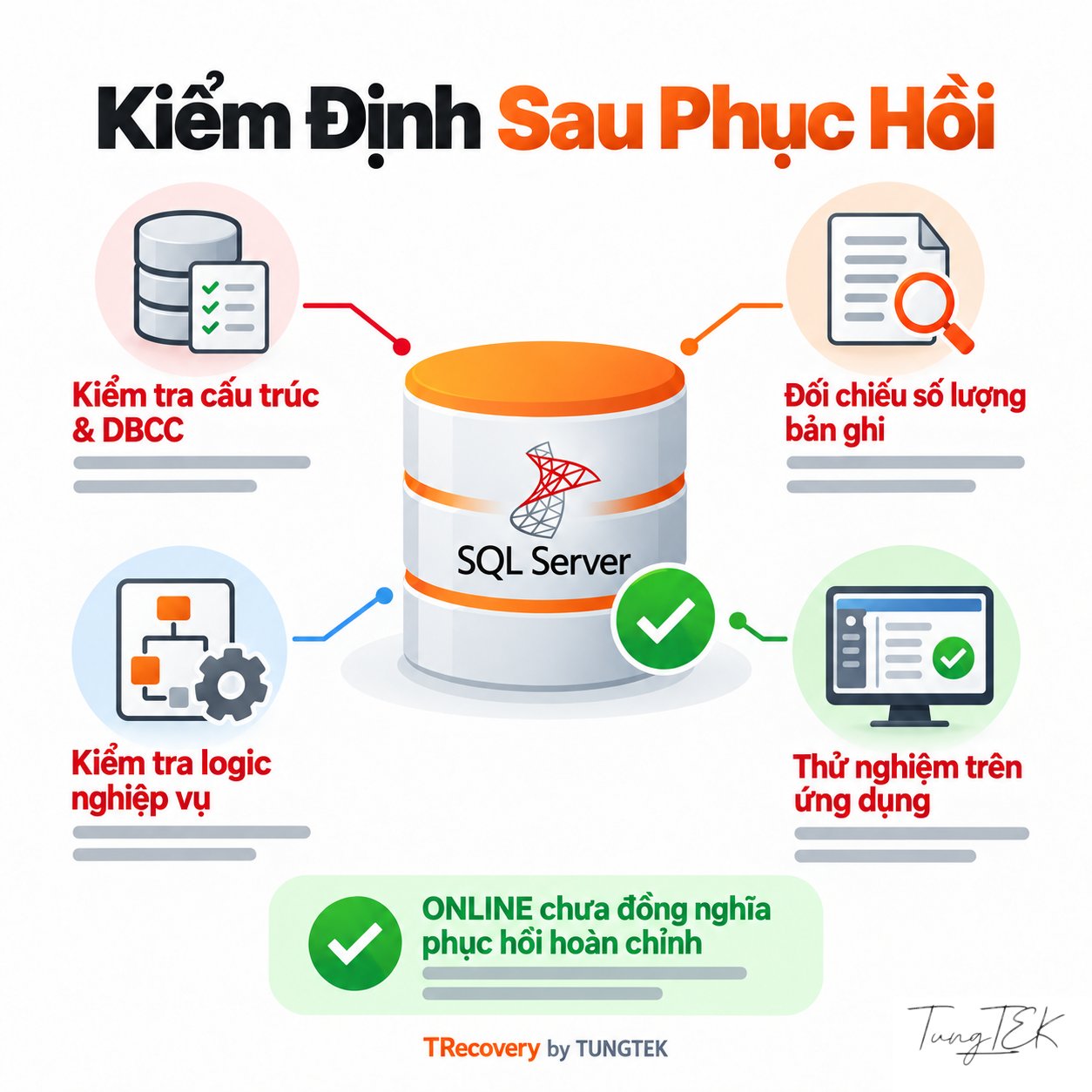
#Describe results through evidence that can be checked. ONLINE status, successful attachment or a working application screen does not establish complete documents and transactions.
| Acceptance Layer | Examples to Reconcile |
|---|---|
| Technical | DBCC CHECKDB where appropriate; tables, schema, LOB, keys/constraints and residual errors. |
| Business | Periods, documents, inventory/receivables and table relationships against actual sources. |
| Operational | Connections, permissions and application workflows in a separate environment. |
Swipe horizontally to read the table on small screens.
DBCC CHECKCONSTRAINTS supports FOREIGN KEY/CHECK validation; business rules and actual source records still need reconciliation. Row counts require a reference point. For separately extracted datasets, report which tables/records were recovered and their conditions of use.
REPAIR_ALLOW_DATA_LOSS can remove data and leave relationship or transaction inconsistencies. Microsoft prefers a known-good backup restore; lossy repair is a last resort. Explain the specific consequences to the data owner before deciding, with sources already preserved.
References: Microsoft Learn — DBCC CHECKDB · Microsoft Learn — DBCC CHECKCONSTRAINTS · Microsoft Learn — Troubleshoot Database Consistency Errors
Secure Intake Checklist
#Start with system details and errors; the entire database need not be sent in the initial conversation. Prepare the following so the technical team can guide the appropriate transfer scope:
- Complete errors, screenshots with sensitive details obscured, discovery time and preceding events.
- SQL Server version/build, recovery model if known and the application using the database.
- MDF/NDF/LDF and additional containers; available BAK/TRN, copies and snapshots with file relationships preserved.
- SQL ERRORLOG, Windows Event Logs, backup history and actions already attempted.
- Disk/RAID/NAS/SAN/VM configuration, source condition and data locations.
- Priority modules/documents, a reconciliation reference point and the acceptance owner.
- For suspected ransomware: ransom note, extension and authorized samples; record TDE use and protect key material separately.
Do not post databases, passwords, certificates/keys or customer details in public comments. Agree the authorized handover person, intake channel and sensitive-data access scope before transferring files. Retain a preserved source copy and a record of handovers.
Common Database Preparation Questions
#| Question | Answer |
|---|---|
| Is sending only the MDF enough for assessment? | It may support initial inspection but does not represent the complete database. Inventory NDF, LDF, additional containers, backups and system context before choosing a path. |
| Does RECOVERY PENDING require immediate MDF repair? | Do not conclude that yet. Check files, paths, permissions and resources against the complete message; assess structural repair only when evidence supports it. |
| Can data still be assessed after attachment or repair attempts? | It can still be reviewed. Disclose actions, times and affected files; locate originals or copies made before those actions where available. |
| Does limited file encryption mean almost everything can be recovered? | No such conclusion follows. Readable regions must support record interpretation and relationships; confirm results through reconciled business data. |
| Can an available BAK replace preserving the LDF and other files? | Do not discard sources before restore and validation. The BAK may be unusable or miss the required point; logs and other sources remain relevant to assessment. |
| Can the application return to production as soon as the database opens? | First check structure, critical records, permissions and workflows in a test environment, then agree the return-to-service plan with the system administrator. |
Swipe horizontally to read the table on small screens.
References: Microsoft Learn — Database Files and Filegroups · Microsoft Learn — Database States · Microsoft Learn — DBCC CHECKDB · Microsoft Learn — Backup Overview
Discuss the Specific Incident
#TRecovery by TUNGTEK 🇻🇳 accepts SQL Server incident information to assess available sources and a suitable recovery path. Hotline/Zalo: +84 963 509 115. Begin with errors, infrastructure, available files and backup condition through the agreed intake channel.
Read the TUNGTEK.com technical article for SQL Server MDF/LDF, database states and extraction limits. For ransomware-affected data, visit CuuDuLieuMaHoa.com to discuss a deeper assessment.
🇻🇳 Sự cố dữ liệu? Gọi TUNGTEK.
TRECOVERY BY TUNGTEK 🇻🇳
Discuss the incident and priority data
Read the SQL Server MDF/LDF technical analysis on TUNGTEK.com
References
- Microsoft Learn — Database States
- Microsoft Learn — MSSQLSERVER_823
- Microsoft Learn — MSSQLSERVER_824
- Microsoft Learn — MSSQLSERVER_825
- Microsoft Learn — Database Engine Events and Errors 5000–5999
- Microsoft Learn — MSSQLSERVER_9004
- Microsoft Learn — Database Files and Filegroups
- Microsoft Learn — Page and Extent Architecture Guide
- Microsoft Learn — The Transaction Log
- Microsoft Learn — CREATE DATABASE: ATTACH_REBUILD_LOG
- Microsoft Learn — Database Detach and Attach
- Microsoft Learn — Backup Overview
- Microsoft Learn — RESTORE VERIFYONLY
- Microsoft Learn — Database Snapshots
- Microsoft Learn — Transparent Data Encryption
- Microsoft Learn — Move a TDE-Protected Database
- Microsoft Learn — DBCC CHECKDB
- Microsoft Learn — DBCC CHECKCONSTRAINTS
- Microsoft Learn — Troubleshoot Database Consistency Errors
- Microsoft Learn — Manage the suspect_pages Table